You’ve sent the invoice. Now you wait. And wait. Late payments are a constant headache for Nigerian business owners, impacting cash flow and wasting valuable time.
Chasing clients for payments is awkward and time-consuming. You’d rather focus on growing your business, not playing debt collector.
Automated payment reminder software like Cordlo solves this problem by automatically sending polite and timely reminders to your clients, ensuring you get paid on time, improving your cash flow, and freeing you from the stress of manual follow-ups. This helps you get paid faster in Nigeria.
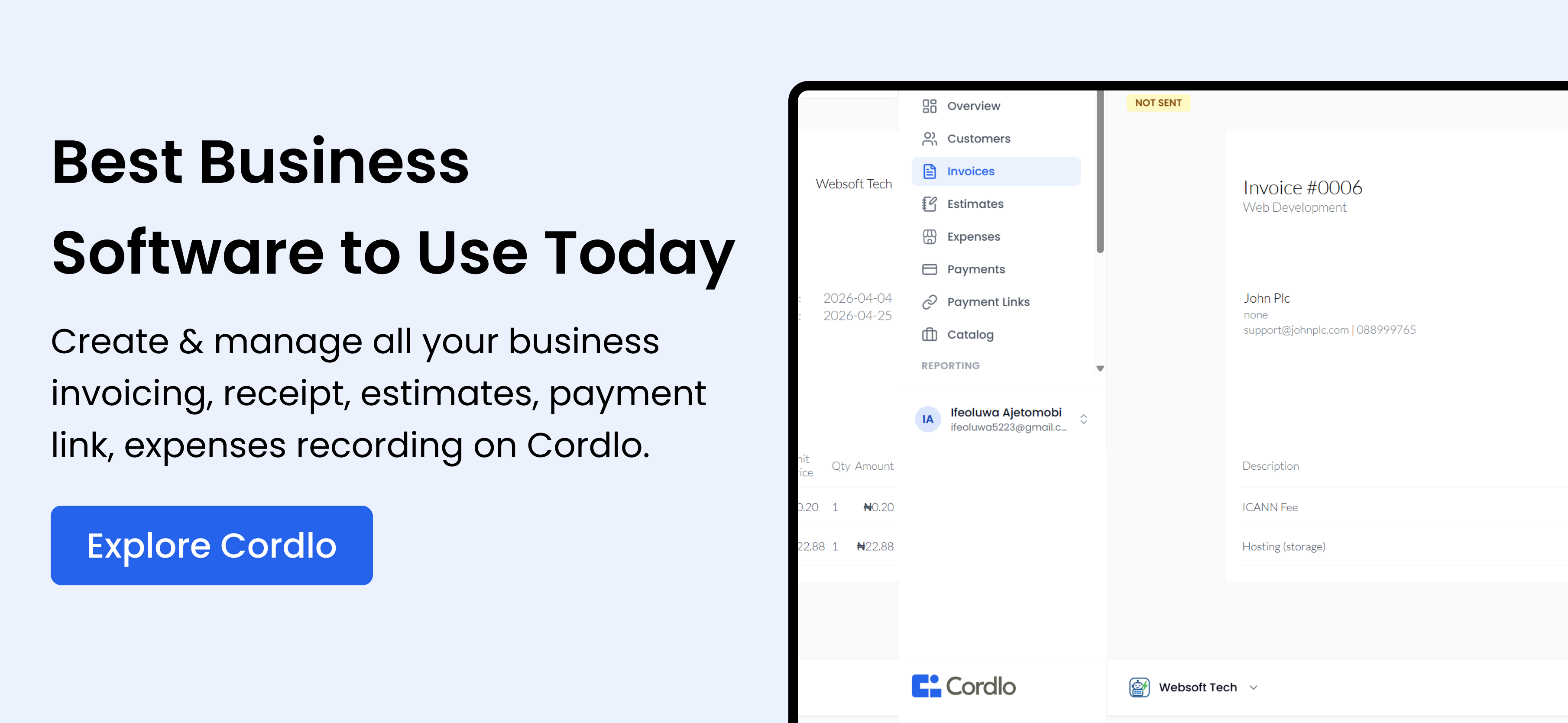
How Cordlo’s Automated Payment Reminders Work
Cordlo’s automated payment reminders take the hassle out of getting paid. Set it and forget it — Cordlo will handle the rest.
Here’s how it works:
- Create an invoice: Use Cordlo’s easy-to-use invoice template to create a professional invoice. Add your logo, client details, and itemized services.
- Set up reminders: Configure the automated payment reminders. Choose when you want reminders to be sent (e.g., 3 days before the due date, on the due date, and 7 days after the due date).
- Customize your messages: Personalize the reminder messages to match your brand voice. You can use pre-written templates or create your own.
- Send the invoice: Send the invoice to your client via email or share a payment link via WhatsApp.
- Cordlo handles the rest: Cordlo automatically sends the reminders according to your settings. You’ll be notified when the invoice is paid.
Step-by-step guide to setting up automated reminders
Let’s walk through the process of creating an invoice and setting up automated payment reminders in Cordlo.
- Sign up or log in: If you don’t have an account yet, sign up for free on Cordlo. If you already have an account, log in.
- Create a new invoice: Click on the ‘Invoices’ tab and then ‘Create Invoice’.
- Fill in the details: Enter your client’s information, the invoice number, issue date, and due date.
- Add line items: Add the services or products you’re invoicing for, along with the quantity and price.
- Set up payment reminders: Scroll down to the ‘Payment Reminders’ section. Toggle the switch to enable automated reminders.
- Customize reminder schedule: Choose the number of days before and after the due date to send reminders.
- Customize reminder messages: Edit the default reminder messages or create your own. Personalize the messages to sound like you.
- Save and send: Save the invoice and send it to your client. Cordlo will automatically send the payment reminders based on your settings.
Benefits of Using Automated Payment Reminders
Automated payment reminders offer several benefits for Nigerian businesses:
- Improved cash flow: Get paid faster and improve your cash flow. Predictable income helps you manage expenses and invest in growth.
- Reduced administrative burden: Automate a time-consuming task and free up your time to focus on more important things.
- Professional image: Send professional and timely reminders that reinforce your brand image.
- Better customer relationships: Polite and automated reminders are less awkward than manual follow-ups, maintaining good client relationships.
- Reduced stress: Eliminate the stress and frustration of chasing late payments.
Real-World Nigerian Scenarios
Imagine these scenarios:
- Ifeoma, a fashion designer in Lagos: She’s tired of spending hours each month chasing clients for payments. With Cordlo, she automates her payment reminders and gets paid weeks faster, allowing her to invest in new fabrics and designs.
- Emeka, a web developer in Abuja: He uses Cordlo to send automated reminders to his clients. He spends less time on admin and more time coding.
- Ngozi, a caterer in Port Harcourt: She struggled with late payments after events. Cordlo helps her automate payment reminders, ensuring she gets paid promptly and can manage her cash flow effectively.
Cordlo vs. Manual Payment Reminders
Manually tracking invoices and sending reminders is time-consuming and prone to errors. Let’s compare Cordlo with manual methods:
| Feature | Cordlo | Manual Reminders (Email/WhatsApp) |
|---|---|---|
| Automation | Fully automated | Manual |
| Time Savings | Significant time savings | Time-consuming |
| Consistency | Consistent and timely | Inconsistent, depends on memory |
| Professionalism | Professional templates | May appear unprofessional |
| Scalability | Easily scalable | Difficult to scale |
| Cost | Affordable plans | Free (but time-consuming) |
| Tracking | Tracks invoice status and reminders | Requires manual tracking |
Cordlo vs. Other Payment Reminder Software
While several payment reminder software options are available, Cordlo is tailored for the Nigerian market, considering local payment gateways and business practices.
| Feature | Cordlo | Generic Software (e.g., Stripe) |
|---|---|---|
| Nigerian Focus | Designed for Nigerian businesses | Global, may not fit local needs |
| Payment Gateway Integration | Integrates with Paystack, Flutterwave | May require custom integration |
| Customer Support | Local customer support | International support, slower response |
| Pricing | Affordable pricing for Naira transactions | USD pricing, exchange rate fluctuations |
| Ease of Use | Simple, intuitive interface | May be complex for beginners |
Integrating Cordlo with Your Existing Tools
Cordlo seamlessly integrates with tools you already use:
- Payment Gateways: Connect with Paystack and Flutterwave to receive online payments directly.
- Accounting Software: Integrate with accounting software to automatically update your records when invoices are paid.
- WhatsApp Business: Share payment links and send reminders via WhatsApp Business for faster communication.
Pricing and Plans
Cordlo offers flexible pricing plans to suit businesses of all sizes. Start with a free plan and upgrade as your business grows.
- Free Plan: Limited invoices and reminders.
- Basic Plan: More invoices, reminders, and features.
- Premium Plan: Unlimited invoices, priority support, and advanced features.
Tips for Writing Effective Payment Reminder Messages
Here are some tips for crafting effective payment reminder messages:
- Be polite and professional: Use a friendly tone and avoid accusatory language.
- Include invoice details: Clearly state the invoice number, amount due, and due date.
- Offer payment options: Provide multiple payment options (e.g., bank transfer, online payment).
- Personalize the message: Address the client by name and reference previous interactions.
- Set clear expectations: State the consequences of late payment (e.g., late fee).
Legal and Regulatory Considerations in Nigeria
When sending payment reminders, be mindful of Nigerian laws and regulations:
- Data Privacy: Comply with the Nigeria Data Protection Regulation (NDPR) when handling client data.
- Consumer Protection: Adhere to consumer protection laws regarding debt collection practices.
- FIRS Regulations: Ensure your invoices comply with FIRS (Federal Inland Revenue Service) regulations.
How to Handle Difficult Clients
Sometimes, despite your best efforts, clients may still be difficult to get payment from. Here’s how to handle it:
- Stay calm and professional: Avoid getting emotional or confrontational.
- Document all communication: Keep records of all emails, messages, and calls.
- Offer a payment plan: If the client is struggling financially, offer a payment plan.
- Consider legal action: As a last resort, consider legal action to recover the debt.
Read debt recovery strategies for small businesses in Nigeria for more insights.
The Future of Payment Reminders in Nigeria
The future of payment reminders in Nigeria is likely to be driven by technology and changing business practices:
- AI-powered reminders: AI could personalize reminder messages based on client behavior.
- Mobile payments: Increased adoption of mobile payments will streamline the payment process.
- Real-time tracking: Real-time tracking of invoice status and payment reminders will become standard.
Conclusion
Automated payment reminders are a game-changer for Nigerian businesses. They improve cash flow, reduce administrative burden, and enhance customer relationships. Embrace automation and take control of your finances.
Ready to get started? Sign up for Cordlo today and experience the benefits of automated payment reminders. Check out invoice management tips for Nigerian businesses for more insights.
Also, learn about the best accounting software for small businesses in Nigeria to manage your finances better.
FAQ
What is automated payment reminder software?
Automated payment reminder software sends automatic reminders to clients about upcoming or overdue payments. This helps businesses get paid faster and reduces the need for manual follow-ups.
How does Cordlo help Nigerian businesses?
Cordlo helps Nigerian businesses by automating payment reminders, generating professional invoices, and integrating with local payment gateways like Paystack and Flutterwave.
Is Cordlo compliant with Nigerian regulations?
Yes, Cordlo is designed to help businesses comply with Nigerian regulations, including data privacy and FIRS requirements.
Can I customize the reminder messages?
Yes, Cordlo allows you to fully customize the reminder messages to match your brand voice and specific client needs.
What payment gateways does Cordlo integrate with?
Cordlo integrates with popular Nigerian payment gateways like Paystack and Flutterwave, allowing you to receive online payments easily.
How much does Cordlo cost?
Cordlo offers a range of pricing plans, including a free plan with limited features and paid plans with more advanced capabilities.