As a sole trader in Nigeria, managing your finances can often feel overwhelming. You’re responsible for everything from client work to sending invoices and tracking payments. Manual billing can be time-consuming and prone to errors, pulling you away from your core business. Thankfully, the right invoicing software can simplify this, ensuring you get paid accurately and on time, while presenting a professional image. We’ve researched the market to help you find the perfect tool.
Imagine you’re Ada, a graphic designer in Lagos. You juggle client projects, marketing, and chasing payments. Invoicing software can be a lifesaver, automating tasks and letting you focus on design.
Why Invoicing Software is a Game-Changer for Sole Traders
For solo entrepreneurs, efficiency is key. Invoicing software isn’t just about sending bills; it’s a strategic asset.
- Time-Saving: Automates invoice creation, reminders, and payment tracking, freeing up your schedule.
- Accuracy Guaranteed: Minimizes manual errors in calculations, taxes, and client details.
- Faster Payments: Integrated payment options and automated reminders accelerate cash flow.
- Professionalism: Creates polished, branded invoices that enhance your business credibility.
- Organized Records: Centralizes all financial documents, simplifying year-end tax preparation.
Invoicing software automates invoice creation, sends reminders, tracks payments, minimizes errors, accelerates cash flow with integrated payment options, creates professional invoices, and centralizes financial records.
Key Considerations for Choosing Your Invoicing Solution
When selecting invoicing software, we advise sole traders to weigh these important factors.
- Ease of Use: An intuitive interface is crucial to avoid a steep learning curve.
- Cost-Effectiveness: Look for plans that align with your budget, including free tiers if available.
- Essential Features: Determine if you need estimates, recurring invoices, expense tracking, or basic billing.
- Payment Integrations: Seamless connectivity with popular gateways like Paystack or Flutterwave is invaluable.
- Customization Options: The ability to brand invoices with your logo and colors is important for consistency.
- Reporting Capabilities: Robust reports provide insights into your business’s financial health.
Our Top Invoicing Software Picks for Solo Entrepreneurs
Here are our top recommendations for invoicing software tailored for sole traders, focusing on ease of use, features, and overall value.
1. Cordlo

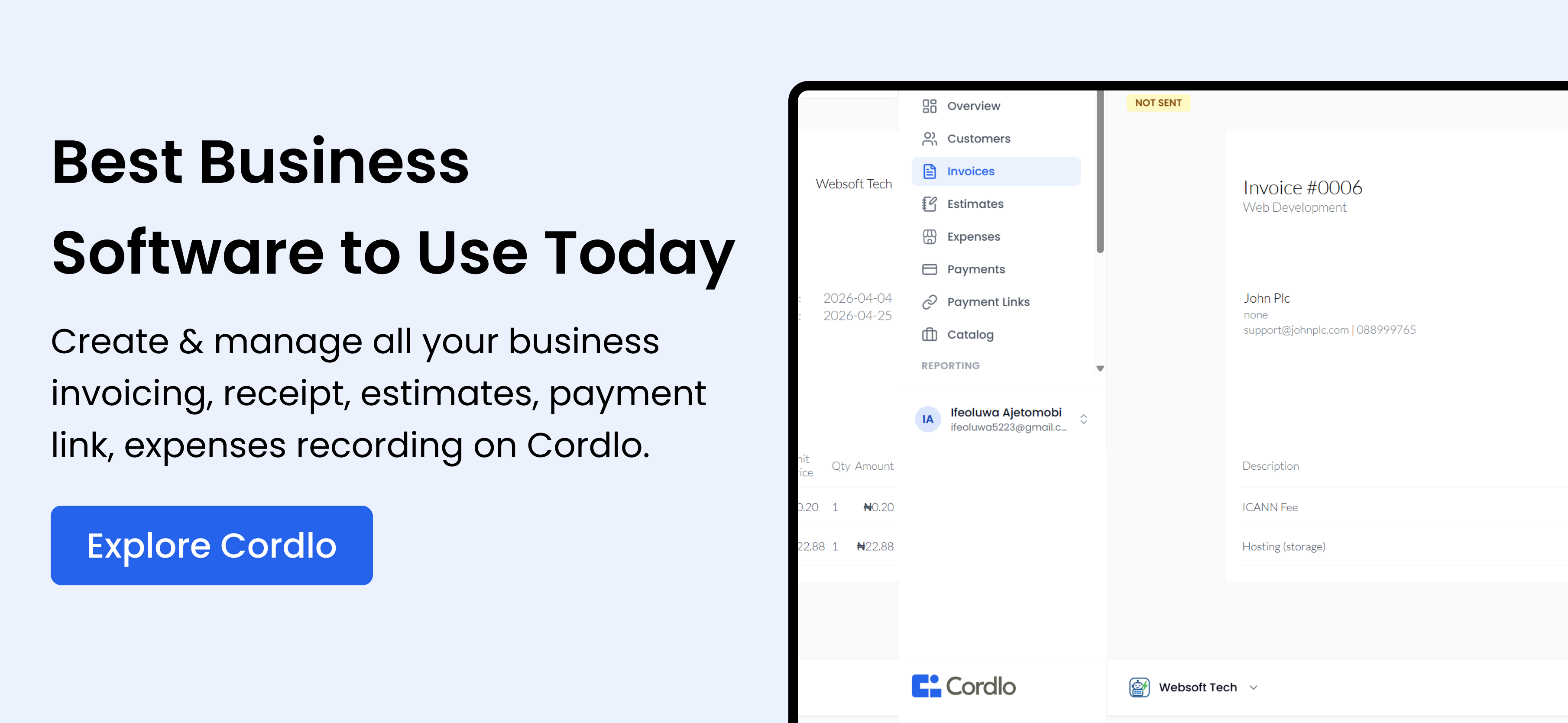
Cordlo offers a comprehensive financial operating system for sole traders, freelancers, and small businesses. It handles everything from professional estimates to custom-branded invoices, automated reminders, and multi-currency support. With integrations for major payment providers like Paystack, Flutterwave, Stripe, and PayPal, getting paid is a breeze.
Imagine Femi, a freelance web developer. He uses Cordlo to send professional invoices in Naira, automatically remind clients about payments, and track his income for FIRS tax filings.
2. Wave
Wave is a popular free accounting and invoicing software, particularly suitable for sole traders. It offers basic invoicing features, expense tracking, and financial reporting. While it’s free, some features like payment processing incur fees.
However, Wave’s limited customization options and customer support might be a drawback for some users. It also might not be fully compliant with Nigerian tax regulations automatically.
3. Zoho Invoice
Zoho Invoice is part of the Zoho suite and offers a robust invoicing solution with advanced features like time tracking and project management integration. It’s scalable and suitable for growing businesses.
While Zoho Invoice offers a free plan, it has limitations. The full functionality requires a paid subscription. The complexity of the Zoho suite might be overwhelming for some users.
4. FreshBooks
FreshBooks is designed specifically for service-based businesses and offers features like time tracking, project management, and client collaboration. It has a user-friendly interface and strong reporting capabilities.
FreshBooks can be more expensive than other options, especially as your business grows. It also has limitations in inventory management, which might be a concern for some businesses.
5. Invoice Ninja
Invoice Ninja is an open-source invoicing platform offering a wide range of features, including custom branding, recurring invoices, and payment integrations. It offers both a free and paid plan.
While the open-source nature provides flexibility, it also requires technical expertise to set up and maintain. The user interface might not be as intuitive as some other options.
6. Sage Business Cloud Accounting
Sage Business Cloud Accounting is a comprehensive accounting solution that includes invoicing capabilities. It offers features like bank reconciliation, financial reporting, and VAT management, making it suitable for businesses with more complex accounting needs.
Sage can be overkill for very small businesses or sole traders with simple invoicing needs. It also requires some accounting knowledge to use effectively.
7. Xero
Xero is another popular cloud-based accounting software that includes invoicing features. It offers bank feeds, inventory management, and payroll integration. It’s suitable for small to medium-sized businesses.
Xero can be more expensive than other options, especially for businesses with limited budgets. It also has a steeper learning curve compared to simpler invoicing solutions.
8. Kashoo
Kashoo is a simple accounting and invoicing software designed for small businesses. It offers basic invoicing features, expense tracking, and bank reconciliation. It’s known for its user-friendly interface.
Kashoo lacks some of the advanced features offered by other solutions. It might not be suitable for businesses with complex accounting needs.
9. Bill.com
Bill.com focuses on automating accounts payable and receivable processes. It offers features like invoice processing, payment approvals, and vendor management. It’s suitable for businesses looking to streamline their bill payment process.
Bill.com is primarily focused on accounts payable and might not be the best option for businesses primarily needing invoicing features. It can also be more expensive than other options.
10. Square Invoices
Square Invoices is a simple invoicing solution integrated with the Square ecosystem. It’s suitable for businesses already using Square for payment processing. It offers basic invoicing features and payment tracking.
Square Invoices is best suited for businesses already using Square. It lacks some of the advanced features offered by dedicated invoicing solutions. Its reporting capabilities are also limited.
Comparison Table: Cordlo vs. Alternatives
| Feature | Cordlo | Wave | Zoho Invoice |
|---|---|---|---|
| Free Plan | Yes | Yes | Yes (Limited) |
| Payment Integrations (Paystack, Flutterwave) | Yes | Yes | Yes |
| Custom Branding | Yes | Limited | Yes |
| Automated Reminders | Yes | No | Yes |
| Multi-Currency Support | Yes | No | Yes |
| Nigerian Tax Compliance | Yes | No | Potentially, with setup |
How to Choose the Right Invoicing Software for You
Choosing the right invoicing software depends on your specific needs and budget. Consider these factors:
- Your Budget: Are you looking for a free solution or willing to pay for advanced features?
- Your Business Size: Do you need a simple solution for a solo operation or a more robust platform for a growing team?
- Your Technical Skills: Are you comfortable with complex software or prefer a user-friendly interface?
- Your Payment Needs: Do you need to accept online payments through Paystack, Flutterwave, or other gateways?
- Your Reporting Requirements: Do you need detailed financial reports for tax purposes and business analysis?
For example, Ngozi, a fashion designer, needs software that integrates with her GTBank account and helps her track expenses for her CAC-registered business.
Tips for Effective Invoicing in Nigeria
Here are some tips for effective invoicing as a sole trader in Nigeria:
- Include all essential information: Your business name, address, phone number, client details, invoice number, date, and a clear description of the services or products provided.
- Specify payment terms: Clearly state the payment due date and accepted payment methods.
- Use Naira: Always invoice in Naira (₦) for local clients.
- Comply with FIRS regulations: Include your Tax Identification Number (TIN) on your invoices.
- Send invoices promptly: Send invoices as soon as the service is provided or the product is delivered.
- Follow up on overdue invoices: Send reminders to clients who haven’t paid on time.
- Keep accurate records: Maintain a record of all invoices sent and payments received for tax purposes.
Consider using WhatsApp Business to send invoices and payment reminders directly to your clients. It’s a convenient and widely used communication channel in Nigeria.
The Importance of Professional Invoicing
Professional invoicing is crucial for building trust with your clients and maintaining a positive business reputation. It also helps you get paid faster and avoid disputes.
A well-designed invoice reflects your brand and professionalism. It shows that you take your business seriously.
Frequently Asked Questions (FAQs)
What is the best invoicing software for sole traders in Nigeria?
The best invoicing software depends on your specific needs, but Cordlo, Wave, and Zoho Invoice are popular choices.
Is free invoicing software sufficient for my business?
Free invoicing software can be a good starting point, but it may have limitations in features and customization.
How can I ensure my invoices comply with Nigerian tax regulations?
Include your TIN on your invoices and ensure you’re charging the correct VAT (if applicable).
What payment methods should I accept?
Accept a variety of payment methods, including bank transfers, online payments through Paystack and Flutterwave, and cash payments (if applicable).
How often should I send invoices?
Send invoices as soon as the service is provided or the product is delivered.
Explore more guides on managing your finances as a sole trader. Also, see our post on starting a business in Nigeria and grants for Nigerian businesses.